Building an industrial desktop application using AI‑assisted development. Part of an internal benchmark comparing Cursor, Claude Code, and ChatGPT Codex on the same real‑world engineering task.
You have a pallet of fixed size and a set of boxes with different dimensions. The goal: fit as many boxes as possible without overlaps, maximizing space utilization.
A classic optimization problem in logistics and manufacturing. The benchmark required building a complete desktop application — interactive GUI, solver algorithms, input validation, and system logging.
An AI‑powered code editor built as a fork of VS Code. Same familiar environment, but with built‑in AI agents that plan, write, and modify code across your entire project.
Familiar environment. Imports your settings, extensions, keybindings. Zero learning curve.
Claude, GPT-4, Gemini, or Cursor's own Composer — all within one $20/mo subscription.
Beyond autocomplete. Reads your project, plans changes, creates files, iterates in conversation.
GUI stands for Graphical User Interface — what users actually see and click. AI models trained on massive amounts of web code can produce beautiful websites easily. This project required PyQt5 — a Python library for building native desktop apps (programs installed and running on your computer, not in a browser) — with far less training data and no visual feedback loop.
Massive training data. AI produces polished, responsive UIs on the first try. Instant browser preview for feedback.
Limited training data. Specialized widgets. The agent writes code but cannot see the rendered result — no automatic visual feedback.
Original plan: Use Figma → HTML → PyQt pipeline. Cursor supports Figma integration, but it requires Figma's paid plan. Adding another subscription wasn't worth it.
What happened: I let the AI agent handle design autonomously, using reference screenshots of award-winning interfaces. This saved hours of manual design work and produced better results than expected.
The biggest lesson: how you configure the AI agent matters more than which model you use. Cursor lets you define persistent instructions that guide the agent's behavior — similar to setting up a Claude Project with custom instructions, but for code development.
Persistent instructions extracted from the specification. Instead of feeding the full PDF every prompt (wasting tokens), the agent summarized key requirements into compact rules — architecture, output format, validation.
≈ Claude Project instructionsKnowledge files teaching the agent how to approach specific tasks. My "PyQt GUI Front-End Design" skill defined a complete design methodology — visual hierarchy, styling states, verification checklist.
≈ Claude Knowledge baseAgents called by the main agent when needed. My "senior-product-ui-critic" evaluates layout hierarchy, spacing, color, visual authority — UX expertise I couldn't articulate myself.
≈ Automated QA reviewerWhy this matters: After ~20 prompts, the agent forgets original architecture. It won't check the spec PDF even if the file is in the project. Rules and Skills act as persistent, compact memory — and save tokens by replacing bulky source documents.
Cursor offers four interaction modes. For the initial build: Ask → Plan → Agent (Build) → Iterate.
Q&A only. Doesn't touch files.
Architecture, diagrams, rules. Project start.
Writes, edits, deletes code. Primary tool.
Targeted error resolution.
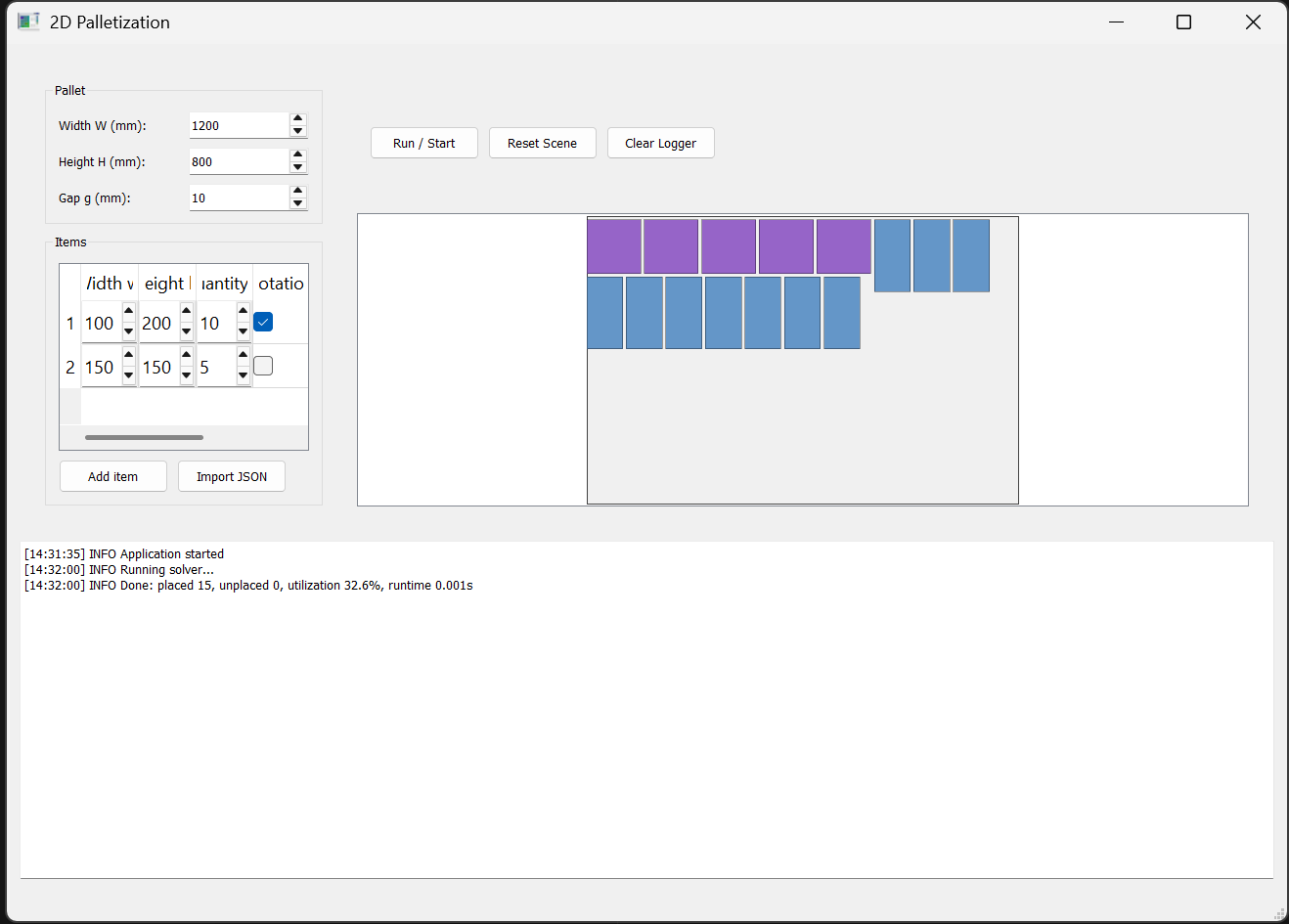
Agent found a solver online and produced working code. Boxes placed correctly. The interface? Zero design thinking.
Fed award-winning web designs as visual references. Screenshots as feedback. Incremental improvement, but hitting limits without proper agent configuration.
Cursor shipped Composer 2 mid-development. Rather than continuing with the old model, I restarted with proper preparation — Skills, Sub-agents, and Rules configured before the first prompt.
Sub-agent analyzed a design reference screenshot. Skill guided PyQt styling. The second first-shot produced a significantly better interface. Solver added in prompt #2.
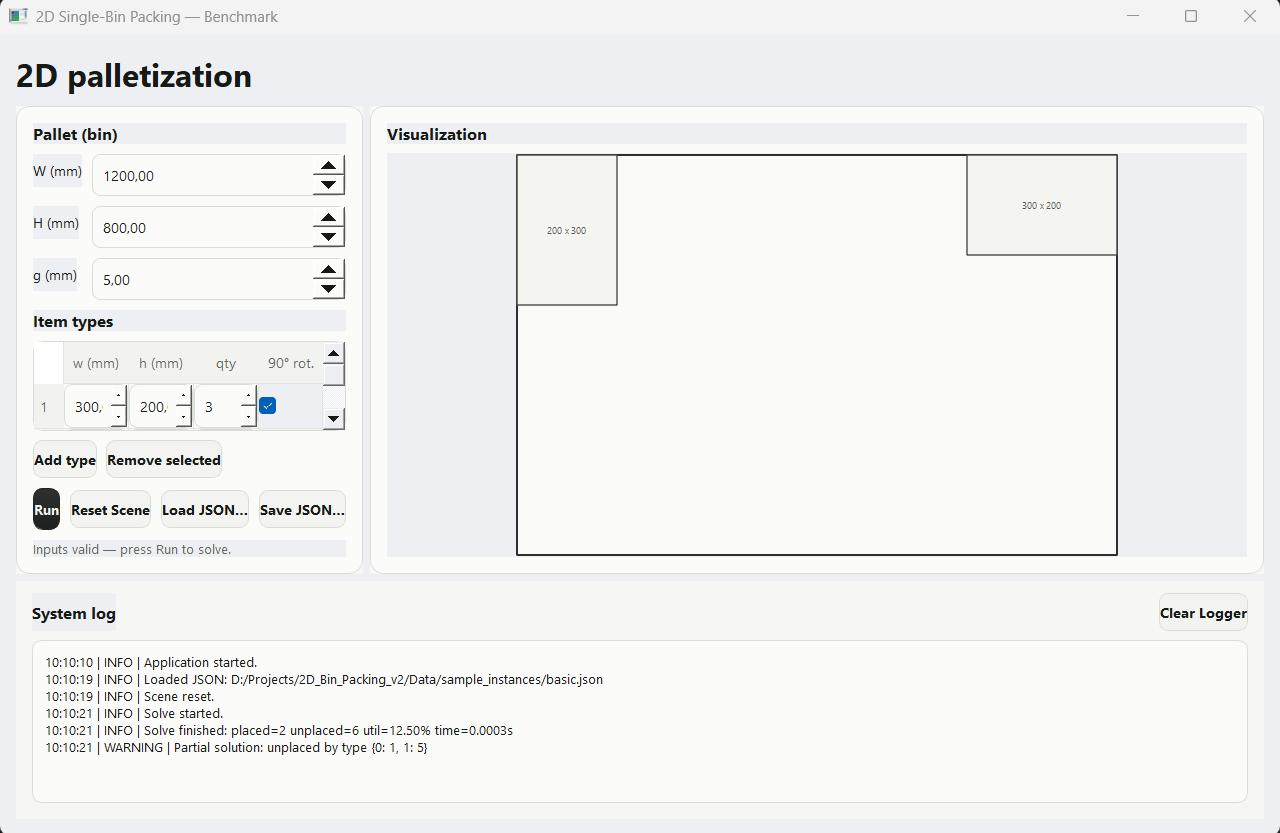
Circled visual issues on screenshots. Asked the agent to find and fix flaws autonomously. Sub-agent caught spacing, alignment, and hierarchy issues I would have missed.
Fully functional 2D bin-packing app with multiple solvers, clean industrial interface, and modular architecture designed for extensibility.
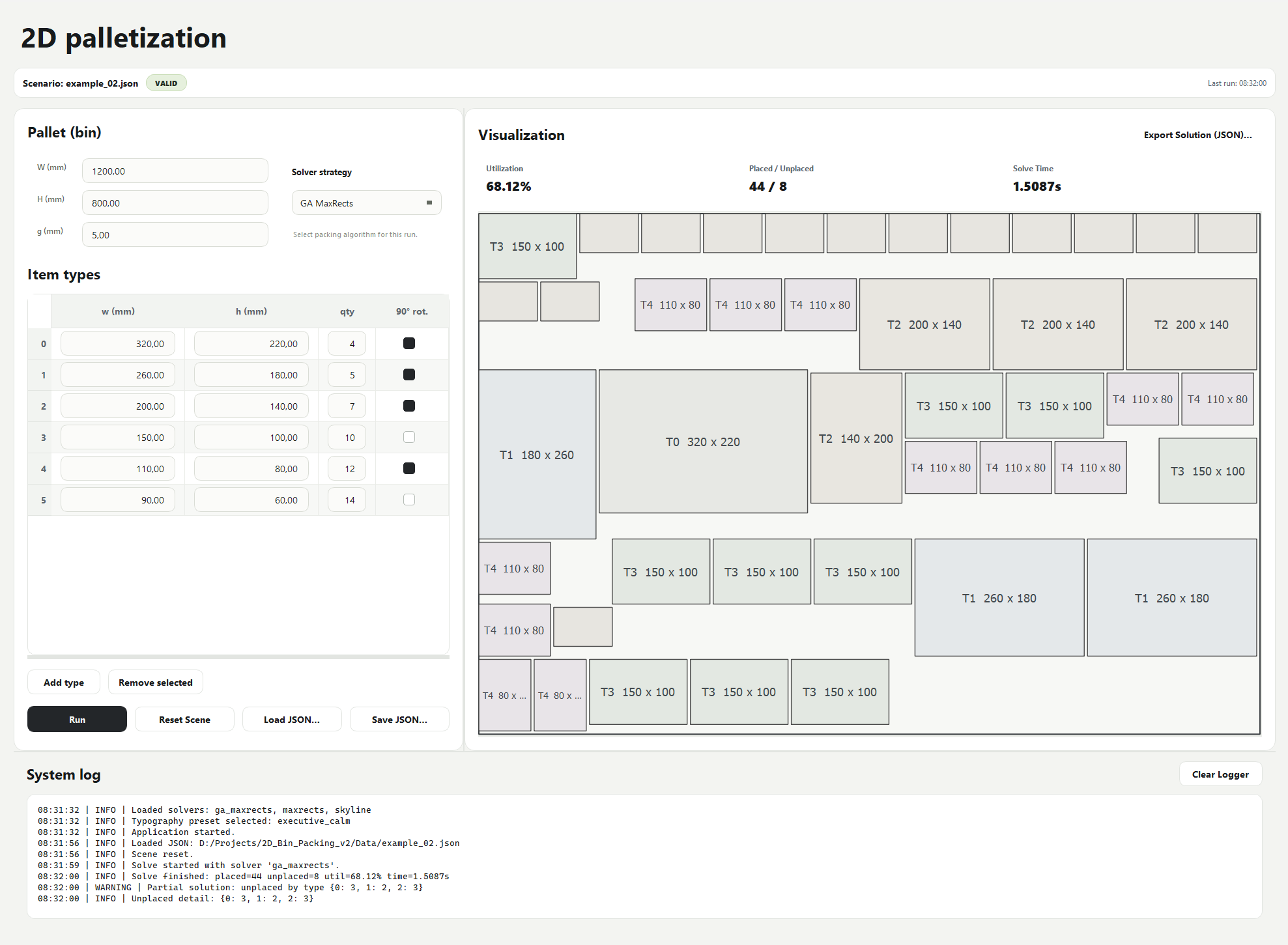
Half the work happened before the first prompt.
Built with Cursor · Presented with Claude